Get a transcript ofany video in one click
Turn a YouTube video, TikTok, Vimeo, Loom or almost any recording into clean text, laid out by speaker with timestamps. Export it to Word, TXT or SRT. 50+ languages. YouTube works with no sign‑up.
YouTube: unlimited and free, no sign‑up · other sites: 3 AI transcripts free, then a free Google sign-in
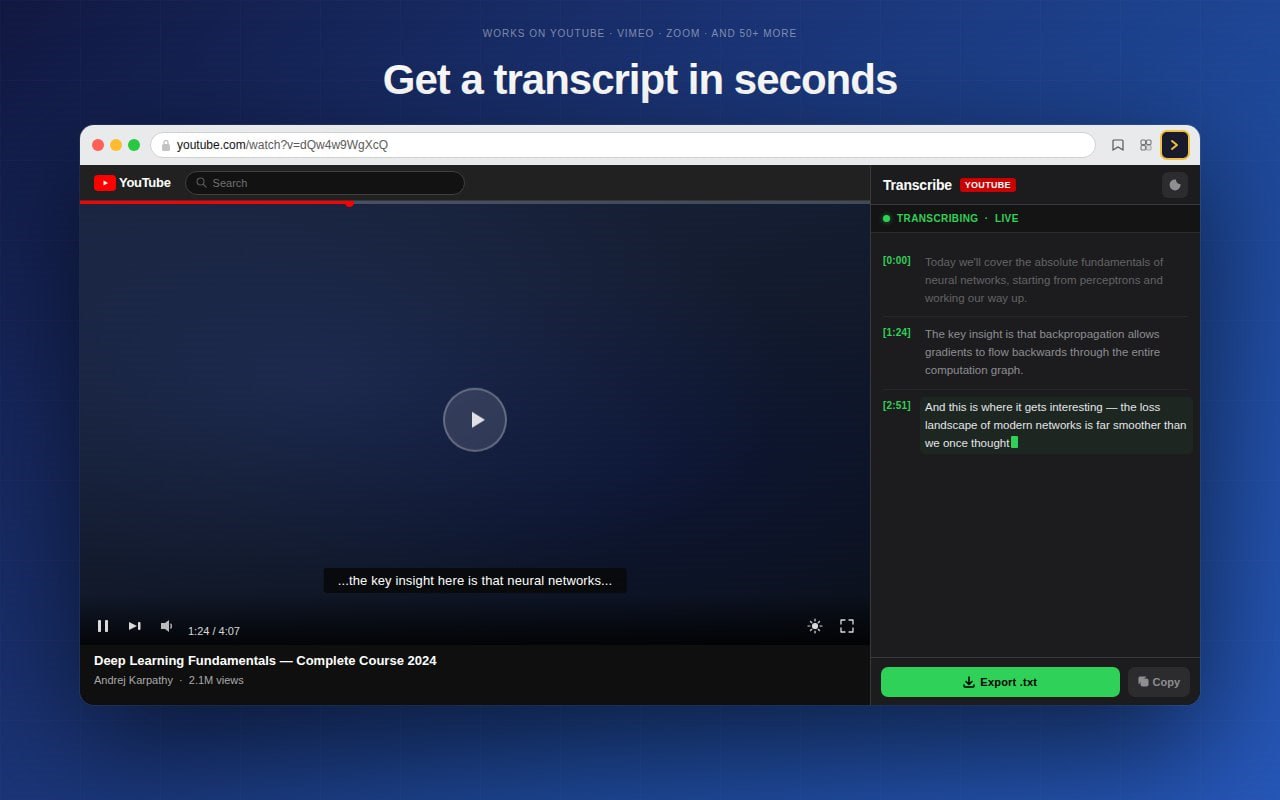
Copying a transcript by hand is painful
Pausing every few seconds, scrubbing back, retyping what you just heard. Or pasting a video link into some sketchy site and hoping it works. This reads the video for you and hands you the full text in seconds, without leaving the page.
How it works
Three steps, a few seconds. No file to upload, no software to install.
Open any video
A YouTube video, a TikTok, a Vimeo, a Loom recording, a lecture, a webinar. Anything playing in your browser.
Click the icon
The extension reads the audio or the captions and builds a complete transcript with AI speech recognition.
Copy or export
Get clean, readable text in the side panel, laid out by speaker. Export it as Word, TXT or SRT subtitles, ready to use.
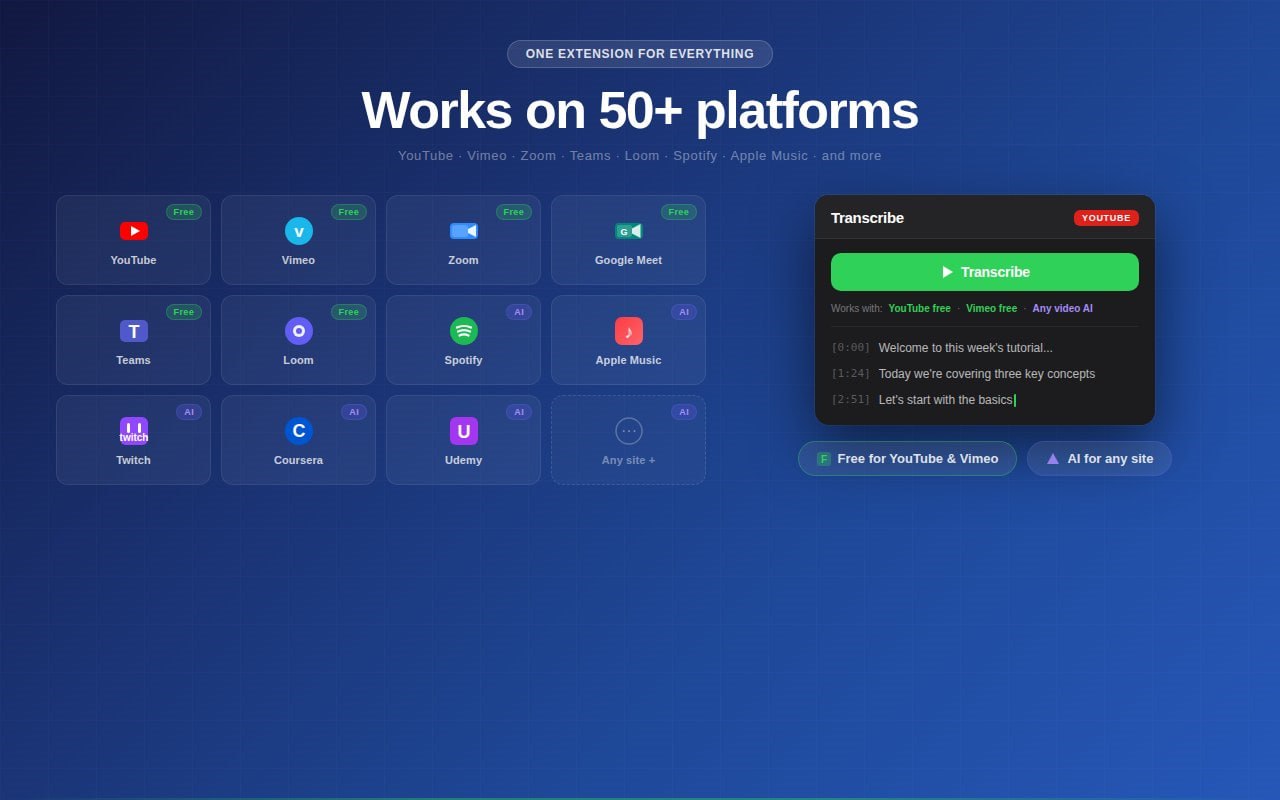
Works where you watch
One extension, most of the web. Public videos or content behind a login.
Why people use it
Built to do one job well: get spoken words into text you can actually use.
Export to Word, not just text
Save a clean, formatted .docx Word document, or TXT or SRT subtitles. Most transcript tools stop at plain text, this one doesn't.
Laid out by speaker
Every turn is labeled by speaker with a timestamp, so you get a readable script, not one jumbled block of text.
YouTube transcript, instantly
Open a video, click once, get the full transcript. Works with and without auto-generated captions.
Almost any platform
TikTok, Vimeo, Loom, Coursera and most streaming sites. Not locked to one platform.
50+ languages
The AI handles accents, technical terms and fast speech across dozens of languages.
Search & copy
Search through the transcript, copy the quotes you need, or grab the whole thing at once.
What happens to your data
Straight answer, because it depends on the platform.
- On YouTube and Vimeo, the transcript is pulled from the video's own captions inside your browser. Nothing is sent anywhere.
- On other sites, the audio stream is transcribed by an AI service as it plays. It is processed in the moment and not stored.
- Your browsing history is never recorded, and your data is never sold or shared.
Questions
How do I transcribe a video to text in Chrome?
Install the extension, open any video, and click the icon. The transcript appears in the side panel in seconds. No file upload.
How do I get a transcript of a YouTube video?
Open the video, click the extension, and the full transcript is built for you. It works whether or not the video has auto-generated captions, and you can copy or export it as text.
Does YouTube automatically transcribe videos?
YouTube generates captions for many videos, but they are hard to copy and often incomplete. This extension pulls a clean, complete transcript in one click and lets you search, copy or export it.
Can ChatGPT transcribe a YouTube video?
ChatGPT can't watch a video or capture its audio on its own. This extension does the transcription right in your browser, then you can paste that text into ChatGPT to summarize or analyze it.
Can I export the transcript to Word?
Yes. Save it as a formatted .docx Word document, or as TXT or SRT subtitles. Most transcription tools only hand you plain text, so this is one of the main reasons people switch.
Does it separate speakers?
Yes. The transcript is laid out speaker by speaker with timestamps, so it reads like a clean script instead of one long block of text.
Which platforms are supported?
YouTube, TikTok, Vimeo, Loom, Coursera and most streaming sites, including content behind a login. It's a transcript-of-any-video tool, not limited to one platform.
Which languages does it support?
Over 50 languages. The AI handles accents, technical terms and fast speech with high accuracy.
Is it free?
Yes, it's free to use. YouTube transcripts are unlimited and need no sign-up. For other sites, AI mode gives you 3 transcripts without an account; after that, a free Google sign-in unlocks more every month.
Contact us
A question, a bug or an idea? Write to team@devexthub.com or use the form, we reply by email.