How to copy text from an image
You can see the words in the image, but you can't select them, a screenshot, a photo of a slide, an infographic. Here's how to copy that text out in one click, instead of retyping it by hand.
Images are just pixels, so your cursor has nothing to grab. To get the words out you need OCR, optical character recognition, which reads the letters in the picture and turns them back into real, selectable text.

The fastest way: a one-click Chrome extension
Extract Text from Image is a free OCR Chrome extension that reads the text in any image, right in your browser.
- Add the extension to Chrome.
- Drop in an image, paste one with Ctrl+V, or draw a box over a picture on any web page.
- It reads the text on your device in a second or two.
- Copy the text, or download it as a clean .txt file.
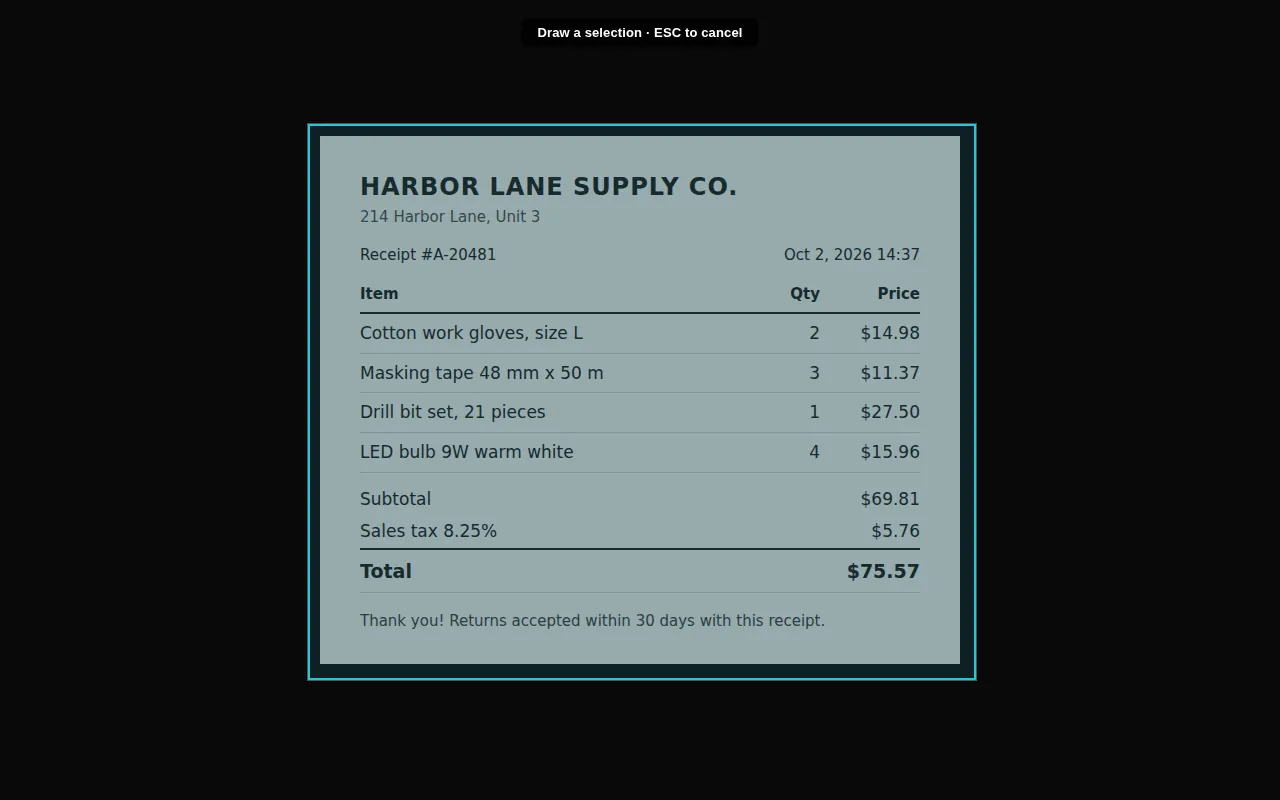
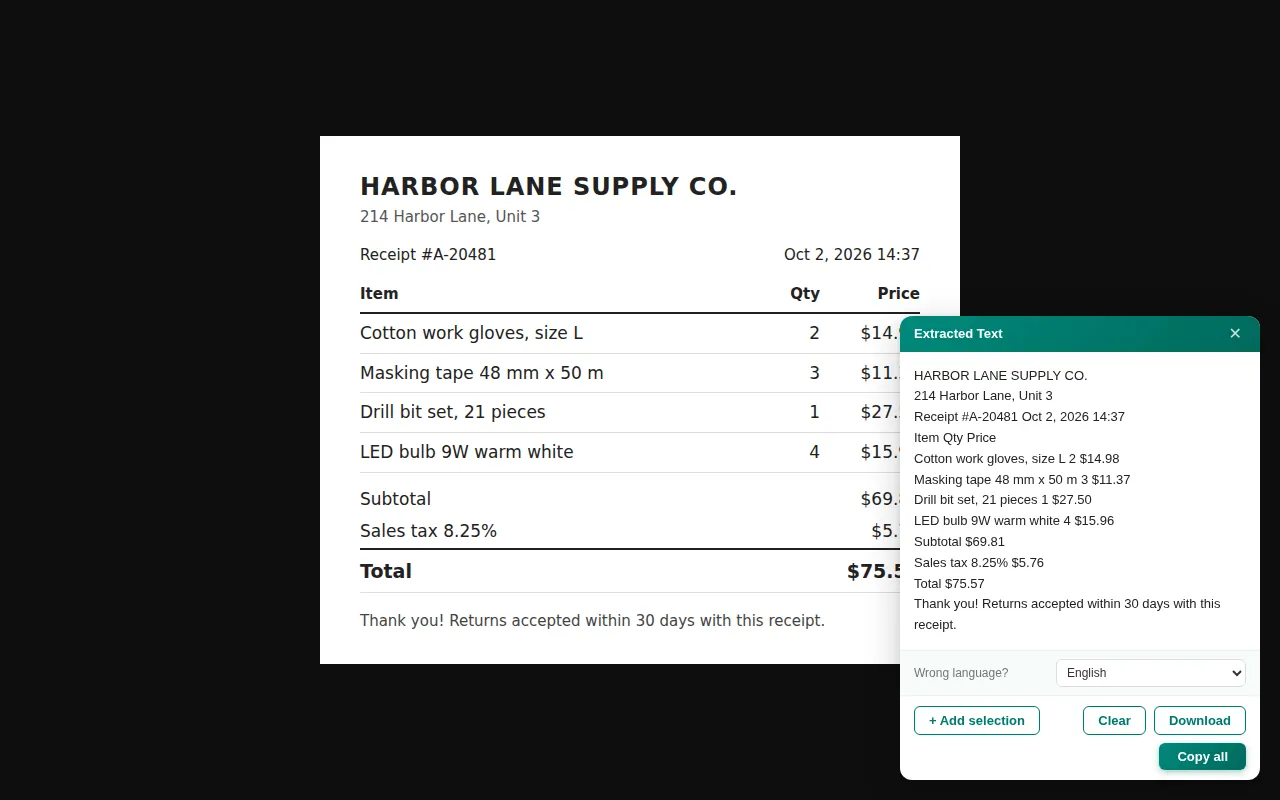
Because the OCR runs on your device, the image is never uploaded to a server, and it reads dozens of languages out of the box.
Works on screenshots, photos and pictures
The same steps work whatever the source, a screenshot you just took, a photographed document, a slide, a scanned page. For step-by-step guides on specific cases, see:
- How to copy text from a screenshot
- How to extract text from a picture
- How to convert a JPG or PNG to text
- The best OCR Chrome extension
Scanned pages are the exception. A scan of a form or a report is usually a PDF, and if it holds a table you want columns back, not a block of text, see how to convert a scanned PDF to Excel or export it to CSV.
Get the text out of any image
On-device OCR, dozens of languages. Free, no sign-up.
Add to Chrome · free