How to convert PDF to Excel on Mac
On a Mac there is no obvious button for this. Preview opens the PDF but will not hand you an Excel file, and copy-pasting scrambles the columns. Here is how to get a PDF table into Excel on macOS in one click, without buying software.
The usual Mac advice is a mess: open it in Preview and copy the text (the columns collapse), paste into Numbers and fight the layout, or upload the file to some random website you have never heard of. None of that is quick, and the upload route means handing your invoice to a stranger's server. There is a cleaner way that stays on your machine.
Why Preview and Numbers fall short
Preview is a viewer. It has no export-to-Excel option, and selecting a table copies it as one run of text with the column boundaries gone. Numbers can open a copied block but rebuilds the grid badly, so you end up re-splitting cells anyway. Neither reads the table's real structure, which is the part that matters.
The one-click way: a Chrome extension
Convert PDF to Excel is a free extension that runs in Chrome on macOS. Because it lives in the browser, there is nothing to install beyond Chrome itself, and it behaves the same on a MacBook Air, MacBook Pro or iMac.
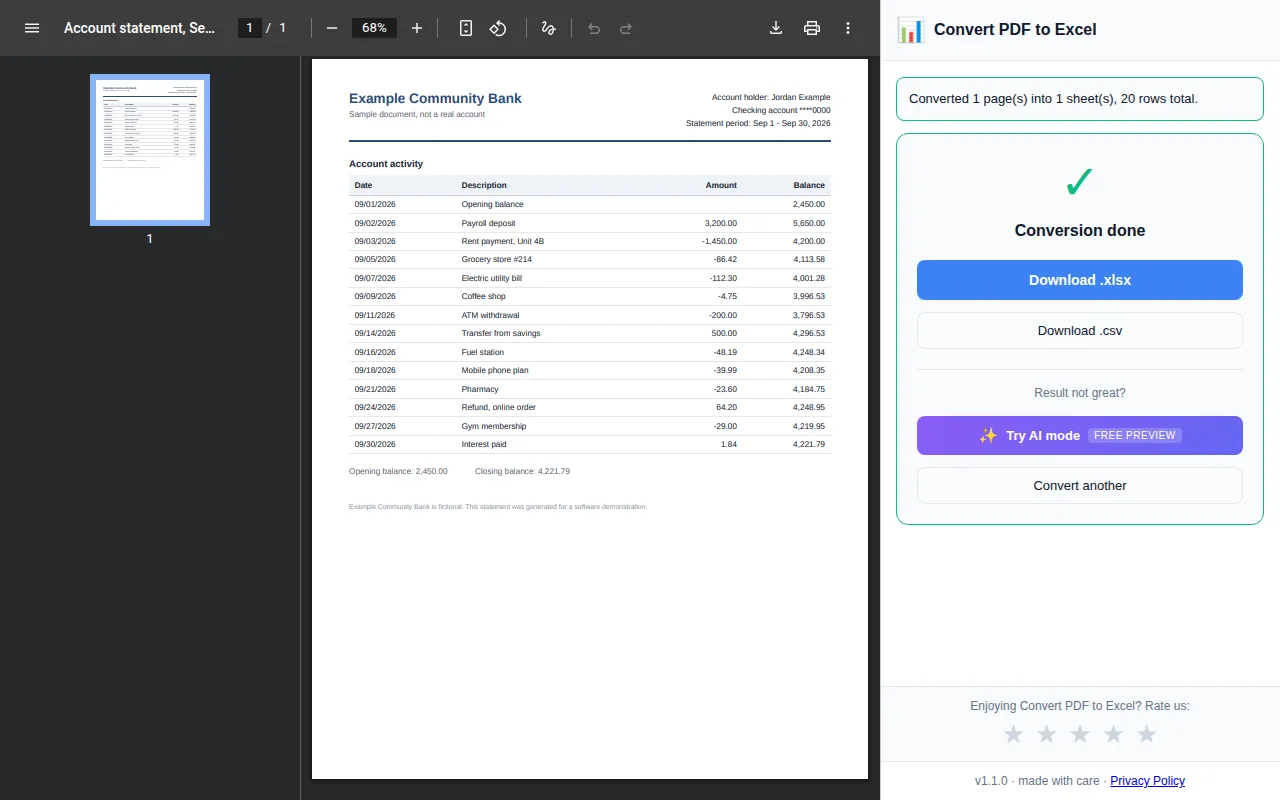
- Add the extension to Chrome on your Mac and click its icon. A panel opens on the right.
- Drag your PDF into the panel, or choose it there, and click Convert to Excel. It rebuilds the table column by column.
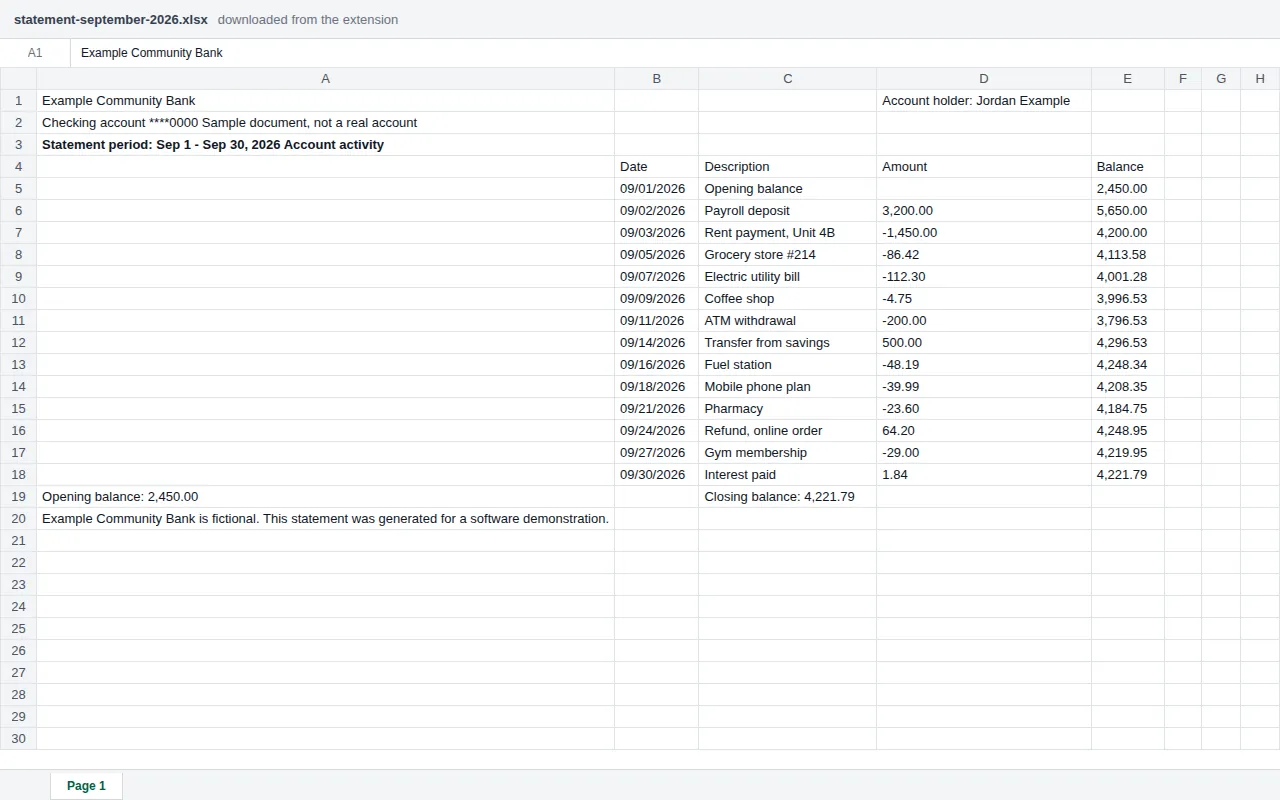
- Click Download .xlsx or Download .csv, with the rows and columns of the table in the right cells.
It stays on your Mac
Text-based PDFs are read locally in the browser, so a plain table never has to be uploaded anywhere. If the file is a scan or a photographed invoice, an optional AI mode reads it too, and it is opt-in so you decide when to use it.
Going the other way on Mac
The same extension also turns a spreadsheet back into a PDF, handy for sending a report from a Mac. See saving an Excel file as a PDF, or the guide on converting a PDF table to Excel.